ON THIS PAGE
Stay Updated with latest in AI SEO
21 January 2026
The way AI platforms discover your store is changing. Just as search engines once needed robots.txt to understand what to crawl, AI systems now need a clear signal too, and that’s where llms.txt comes in.
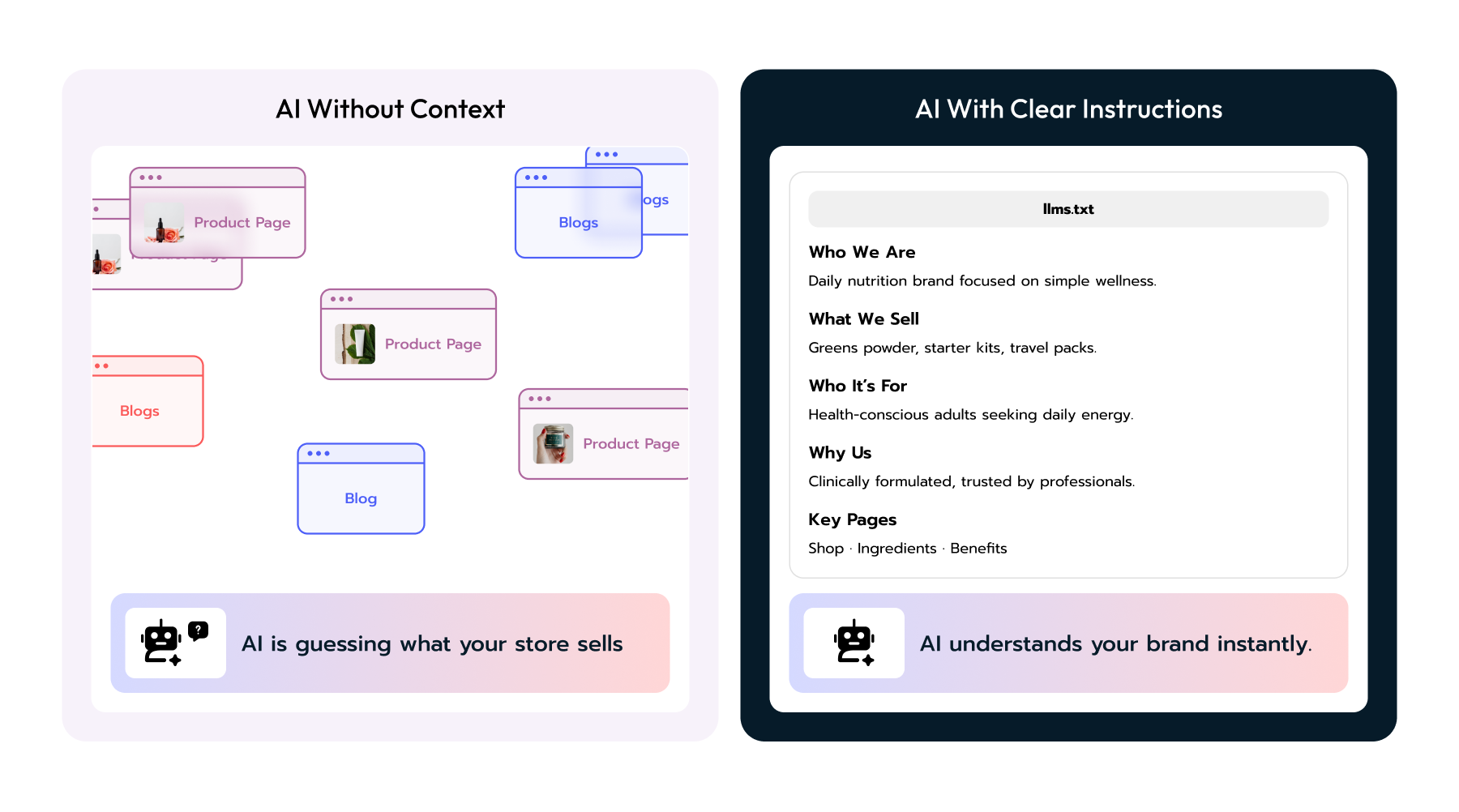
It’s a short file that tells tools like ChatGPT, Perplexity, and Claude what your brand sells, who it’s for, and which pages matter most. Think of it as a cheat sheet for AI, helping large language models interpret your store the way you want.
Keep it simple and structured. Your goal isn’t to sell, it’s to clarify.
Include:
That’s it. It’s a summary that helps AI understand context, not a human sales pitch.
A comprehensive daily greens powder designed to simplify nutrition and support overall wellness. Each serving combines 75 vitamins, minerals, and whole-food-sourced ingredients, formulated for absorption and balance.
Daily greens powder (AG1), starter kits, and travel packs.
Health-conscious adults aged 25–55 who want an all-in-one supplement to support energy, immunity, and gut health.
Clinically formulated, NSF Certified for Sport, and trusted by athletes, health coaches, and wellness professionals worldwide.
There are two easy methods.
The simplest path: use our llms.txt Generator.
Enter your store URL, it creates the file for you, which you can download and upload automatically.
If you prefer to do it yourself:
The generator handles all this automatically.
It’s not magic, but it helps more than doing nothing.
AI systems like ChatGPT and Perplexity crawl your content differently than Google. They rely on structured hints and summaries to understand your brand context and product intent.
The llms.txt file gives them that structure. It’s a 10-minute setup that improves how AI models interpret your store.
Combined with proper product schema (see Product Pages & Structured Data) and ACP compliance, it becomes part of a complete AI Optimization (AIO) foundation.
If you haven’t yet optimized your store for AI, start with the AI Visibility Audit to see what ChatGPT actually reads from your Shopify feed.
llms.txt is your store’s introduction to AI systems, a simple file that helps them understand your brand the way you intend. It’s about giving AI context. And in the era of AI commerce, the brands that communicate clearly are the ones that get discovered.
Streamline your workflow, achieve more
Richard Thomas
Create buying intent instantly
Create buying intent before customers search. 25%+ conversion lift guaranteed.
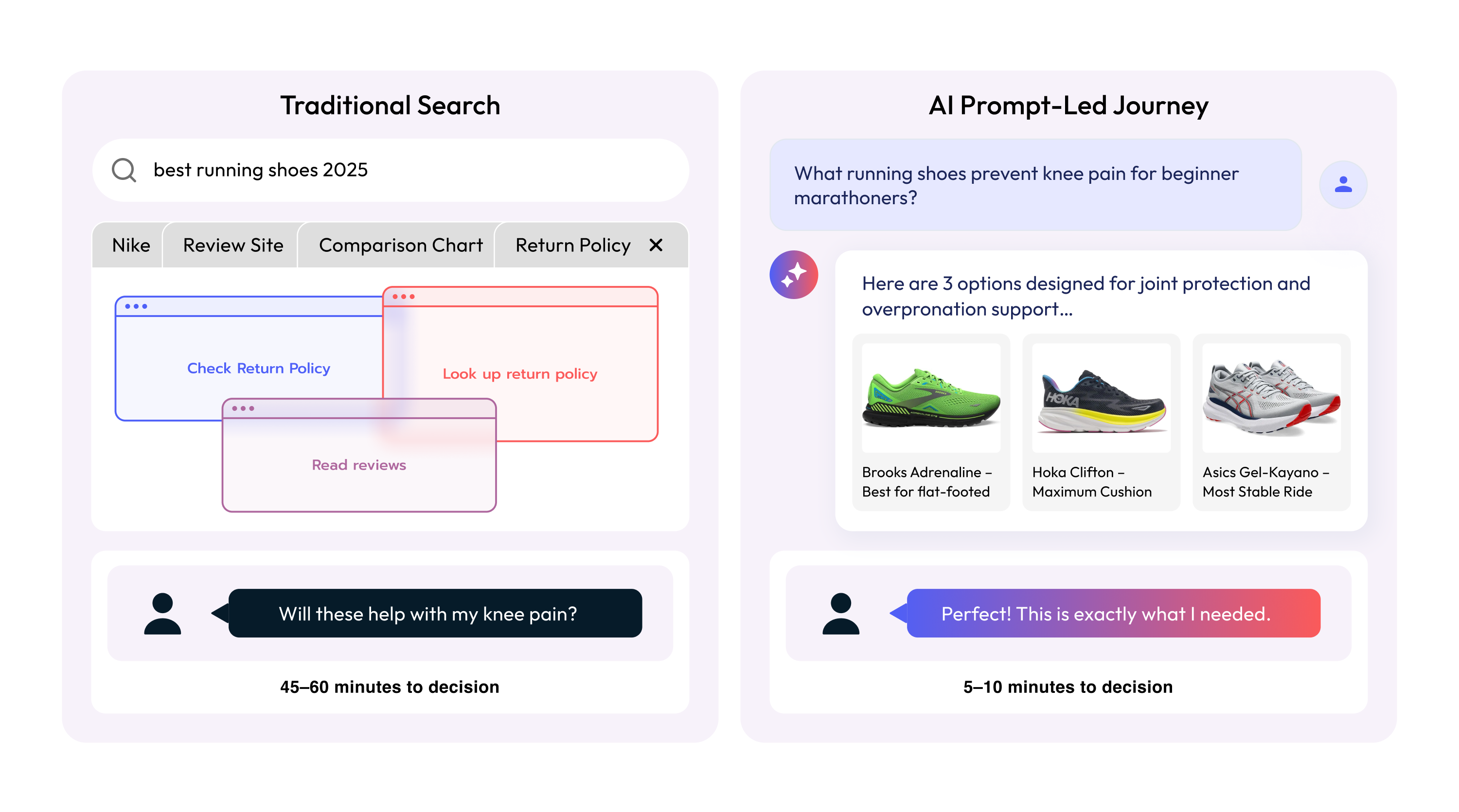
Why Prompts Matter
AI Search That Converts 3x Better
Get the latest in AI-powered search, UX trends, and eCommerce conversions—straight to your inbo
No spam. Just powerful insights.
👉 Join thousands of growth-focused brands.